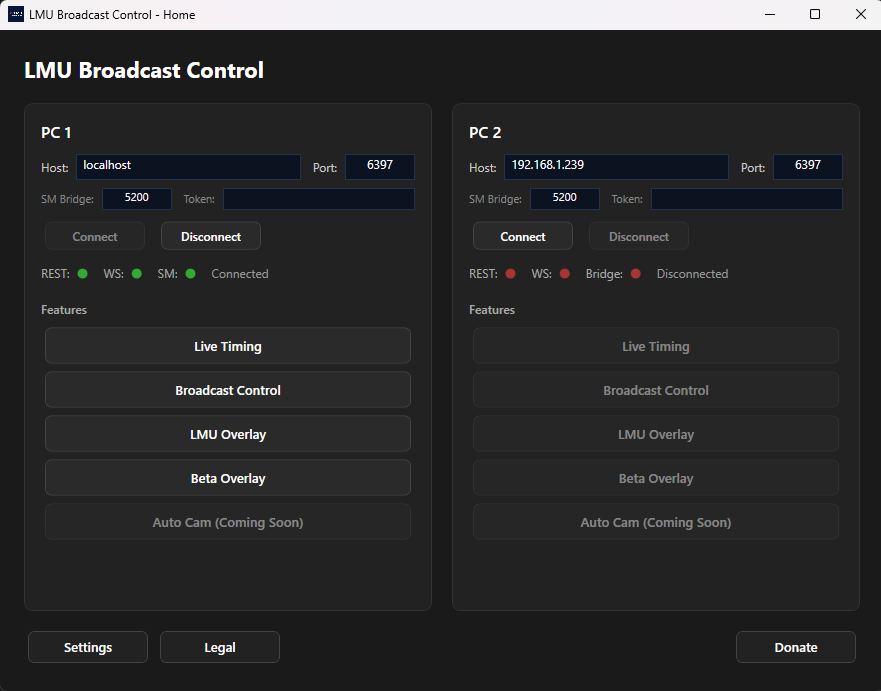
A broadcast control tool for Le Mans Ultimate. Live timing, incident detection,
camera controls, and browser-based overlays for OBS — everything you need
to produce professional sim racing broadcasts.
LMU Broadcast Control is completely free to use. If you find it useful, please consider buying me a coffee to support the many hours of development and help fund future features.
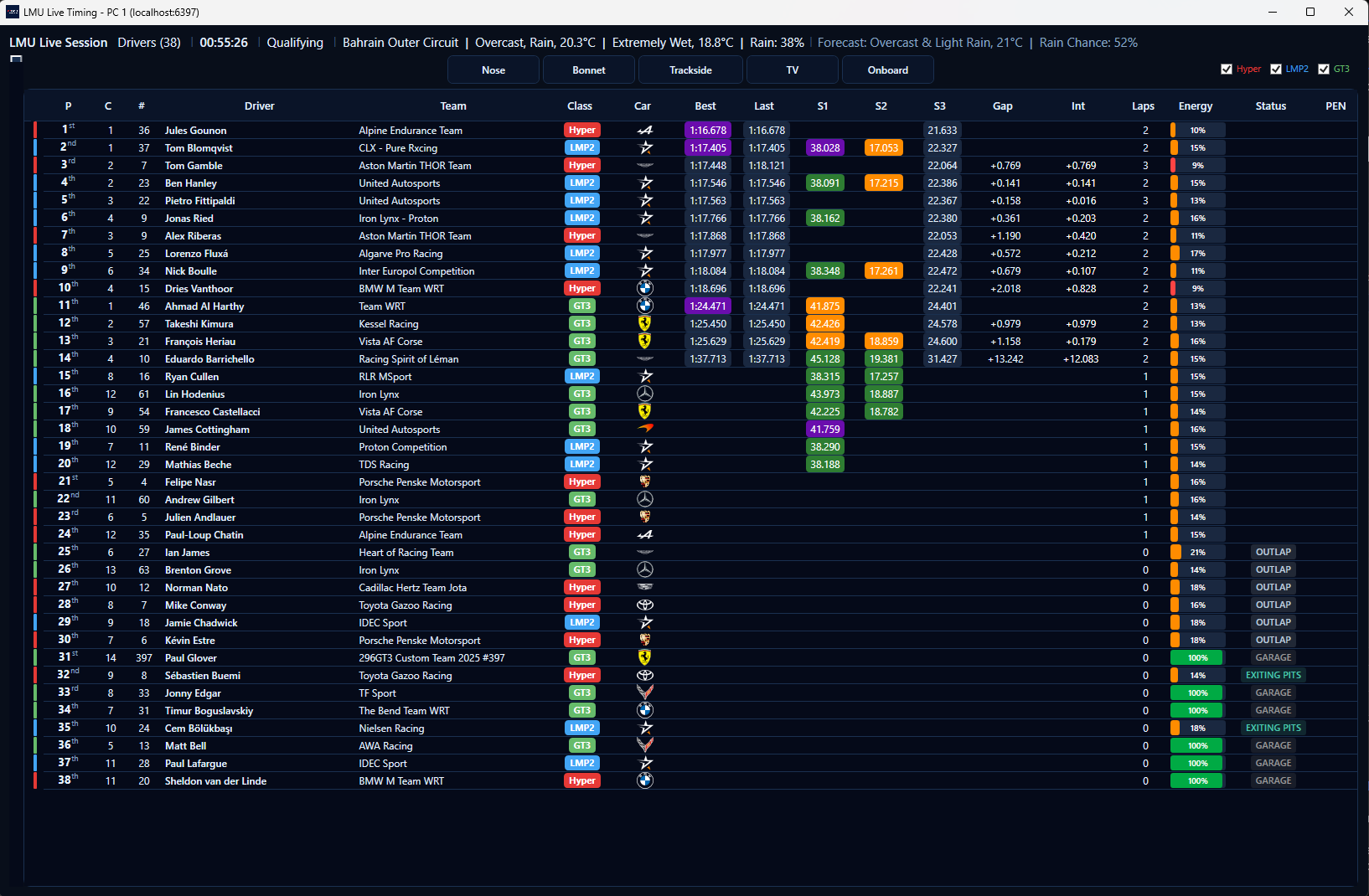
Live Timing Grid — real-time positions, gaps, and sector times
Live Timing
A real-time data grid showing every car on track. Switchable views for qualifying, race, and pits with tailored column sets.
Data Grid
Position, class position, car number, driver, team, class badge, manufacturer logo, best lap, last lap, S1/S2/S3 sectors, gap to leader, interval, lap count, position delta, energy, and penalties. Drag-to-reorder columns with per-view persistence.
Sector Colours
Purple for class best, green for personal best, yellow for slower. Class best persists and moves dynamically when beaten by another driver.
Tyre Compounds
Colour-coded front/rear compound pills from shared memory — Hard (red), Medium (yellow), Soft (white), Wet (blue), Intermediate (green).
Battle Highlighting
Red wash when cars are door-to-door (≤0.3s), amber when critical (≤0.5s). Trend arrows show closing, opening, or stable gaps updated each lap.
Flags & Penalties
Yellow flag row pulsing with green flash on clearance. Penalty badges showing DT, SG, TIME, or PEN. Energy bars colour-coded from green to red.
Driver Lap History
Right-click any driver for a per-lap breakdown with sector times, deltas to personal and class best, energy usage, and pit stop times.
Energy Averages
Rolling average energy usage per lap over 3 and 5 laps in race view. Both reset on pit entry for fresh stint tracking.
Pit Stop Tracking
Stop and lane times shown after pitting, switching to “X Laps” after 5 laps to show how long ago the driver pitted. Pits view with stop count and energy.
Track & Weather Header
Track name, weather condition, air and track temperature, rain percentage, and inline forecast cards showing time, condition, and temperature displayed above the timing grid.
Features
Incident Detection
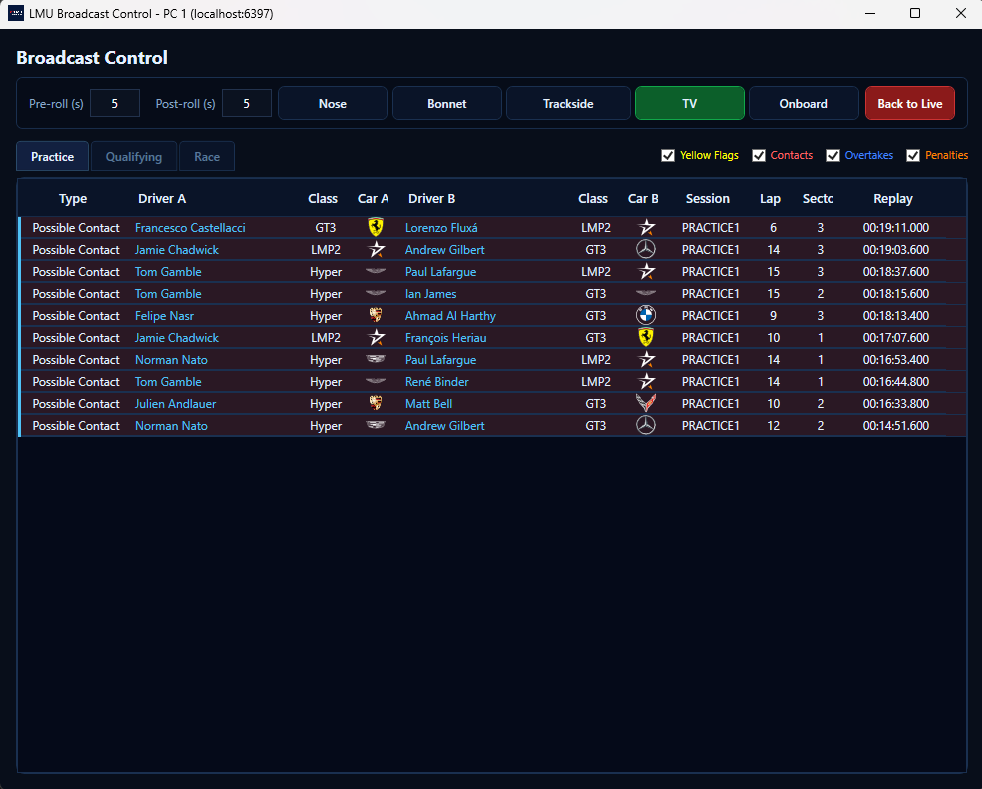
Automatic detection of contacts, yellow flags, and overtakes. Double-click any incident for instant replay with configurable pre and post-roll. Contacts use shared memory data for accuracy.
Camera Controls
Quick driver focus switching and camera family controls for smooth, professional broadcast production.
Broadcast Control Panel
Colour-coded incident list with unviewed indicators and instant replay. CSV logging captures contacts (car-to-car and solo) and slow cars.
Stream Deck Plugin
Replicates the overlay and camera controls on your Elgato Stream Deck.
Multi-PC Support
Connect to two PCs simultaneously for dual-machine broadcast setups. Independent REST, WebSocket, and shared memory connections per PC.
SM Bridge
Shared memory bridge for PC2, enabling tyre compound data, smooth track map positions, and enhanced contact detection on remote machines.
Auto-Update
Checks for updates on startup to run the latest version with zero effort.
Overlay Settings
Live transparency control and Celsius/Fahrenheit toggle for all OBS overlays. Settings persist and OBS picks up changes automatically.
Auto Camera
Directs the in-game cameras during a session: cuts to battles and overtakes as they happen, steps through the field between fights, holds on the leader at the race start, and follows each car across the finish line. Hold the current car from the Stream Deck.
Google Sheets Race Control
Optionally connect your Google account and the app writes event details, entry lists and every logged incident straight into a Google Sheets spreadsheet held in your own Google Drive — a live race control document your stewards can open and work in. The spreadsheet stays yours: nothing is copied to our servers, and you can disconnect at any time. See our privacy policy for exactly what is accessed.
OBS Overlays
Browser-based overlays served by an embedded HTTP server. Add the URL as an OBS Browser Source for a fully custom broadcast look.
Standings Tower
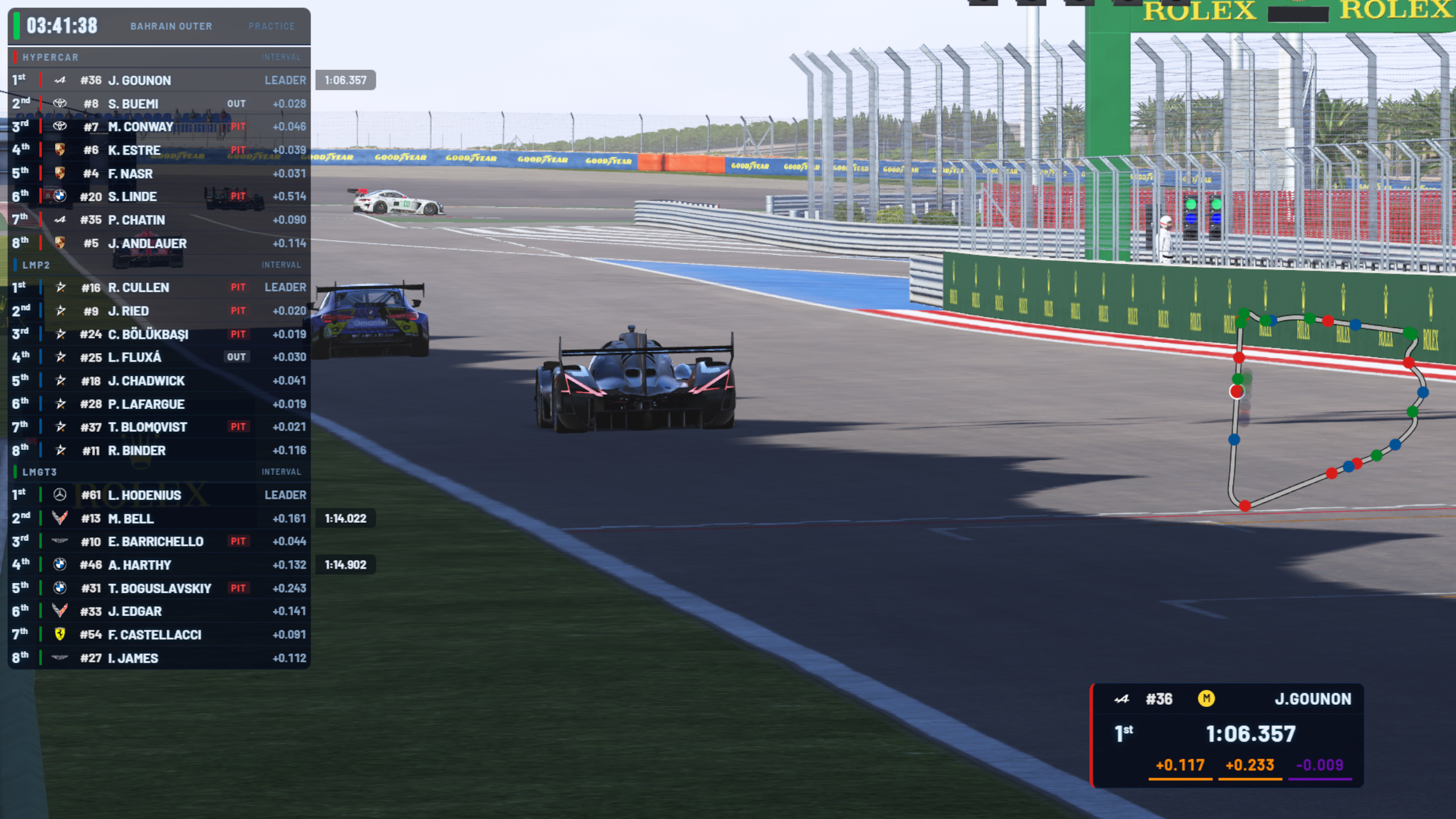
Class colours, manufacturer logos, and status badges. Configurable fields with auto-cycle rotation, per-class fastest-lap marker, LEADER label, name display modes, and class filtering.
Fastest Lap Banner
Slides in when a driver sets a new class-best lap. Shows class badge, manufacturer logo, car number, driver name, and lap time.
Session Clock & Weather
In-game time of day that scales with time acceleration, weather condition with symbol, air and track temperature, and grip preset. Forecast columns show all remaining weather nodes with countdown timers, symbols, rain chance, and temperatures. Hide clock toggle available.
Driver Info
Card showing manufacturer logo, car number, tyre compound, energy bar, driver name, position, best and last lap, and class badge.
Onboard
Live telemetry — speed, gear, RPM, throttle, brake, and energy — over an onboard camera. Dash, Cockpit, or Helmet preset, auto-dismissing when the camera switches away.
Event Card
Pre-session graphic with track logo, conditions, and session schedule. Configurable from the app.
Session Info
Compact panel showing live session conditions and forecast. Pairs with the Event Card and uses the app-wide °C/°F preference set in Overlay Settings.
Qualifying Info
Live lap timer with real-time sector indicators and deltas to personal best. Target time showing the class best lap to beat, automatically hidden in pits, garage, on outlaps, and during track limits. Shows track limits, out lap, pits, or garage status.
1v1 Battle
Focused driver against the closest same-class car — position, name, gap, and last-lap delta. Sticky title and stable membership so on-screen overtakes and small gap fluctuations don’t cause flicker.
Extended Battle
Group of cars battling for position as horizontal cards with class position, manufacturer logo, driver name, and gap. Same-class only, max 6 cars, focused driver highlighted with 10-second retention after cars exceed the gap threshold.
Track Map
Circuit outline with class-coloured car dots. High-frequency updates (150ms) via shared memory. Yellow flag causer shown as a gold dot.
Starting Grid
WEC-style carousel showing 2 cars per slide with qualifying times and car images. Auto-cycles with configurable interval.
Session Results
Paginated classification table captured at session end. DNF cars shown with faded rows and DNF in the gap column.
Mid-Race Results
Live classification during a race with capture, show, and clear workflow. Update standings on the fly during broadcast.
Championship Standings
Import from CSV with points, vehicle info, and gold, silver, and bronze medals for top 3. Supports multiple championships and per-class filtering.
Replay Overlay
Auto-adapts during replay — driver info for yellow flags, 1v1 for contacts, and a REPLAY banner for manual replays. Stinger adapts to the video duration and the tower restores immediately on return to live.
Race Control Banners
Penalty banners (DT, SG, TIME) and fastest lap banners when issued. Banners are queued during replay and displayed after returning to live with a 5-second grace period. Fastest lap banners deduplicated per class.
Inline Lap Times
When a car completes a lap, the time briefly appears in gold on the tower, then fades out after 10 seconds. Only shown when the field mode is set to gap or interval. Class leaders show their best lap in qualifying.
Screenshots
Broadcast Control — colour-coded incidents with instant replay
OBS Overlay — standings tower, track map, and driver info